Showing posts with label Server Platform. Show all posts

Sunday, 23 December 2012

PXE Server Manual

On 1/12/2012, I completed my project called PXE Server.

To create the server on the windows platform, i mean not windows server 2003 and 2008. just normal windows like xp, vista, and 7, u need the following file. i list down the file easier to understand what the importance of PXE Server.

the file;


  • GRLDR <------- grubdos linux version to boot by TFTP Protocol
  • menu.lst <------- after system boot the GRLDR, the system will search command in this menu. 
  • Bootable File <---- i choose the hiren_boot 10 .iso file.

The operation:
Get grldr file system inside the Bootland.


Creating the menu.lst
this part is hard to understand if you are beginner in linux and memory allocation. so better to watch and learn the code that made by other people rather than dive into these codes without knowledge.

example
below is the basic menu to run iso file. pls remember that u cant map directly .iso files, the file needs virtual memory allocation in RAM. just like the hirenboot iso.

title Hiren
map --mem (pd)/hirens.iso (0xff)
map --hook
root (0xff)
chainloader (0xff)


if you cant figure out this technique, pls inform me thru email to put more content about this in my blog.

My Email


Sunday, 26 August 2012

TV Mobili : Free Media Server For Windows , MAC and Linux

Media Server is the server to broadcast media content like music, movie, picture whether across the internet world wide or just in your local area network.

in old days, we used to built the entire PC including setting the network solution just for home media server let alone the OS itself. but now, with the technology called UPNP (Universal Plug N Play), you can setup media server in a minute.

today, i will instruct you on how you wanna do it.

Hardware Requirement :


  • Cable RJ45 (depend on your network architecture).
  • Router
  • An old Computer that wanna TV Mobili Server.
  • A laptop or computer to test the TVMobili Server.


Software Requirement: 


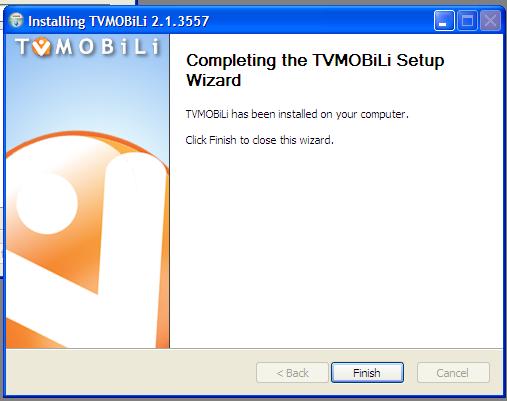
You need to install this software. Below are the instruction phased by phased using images.


After install this software make sure to take note tv mobili url!. This is important because you need to setup its broadcasting content. for example what folder, should or should not been broadcast to the local area network. 

Access to TVMobili

  • Open any browser. etc mozilla, chrome, safari, opera, firefox and ie.
  • Type in tv mobili url.

"In case if you dont find the TVMobili url, here i will provide for you. http://localhost:30888" 

Thats it. You have setup your own free media server based on UPNP network. This is the end of TV Mobili Setup Part. Next, we gonna review what inside the TVMobili Web apps can bring us.

Anyone who dont understand or have  questions please give a comment down below. thank you.

Tuesday, 31 July 2012

DIY : CCTV For Home (Part ONE)

Getting The Items Ready


Many people thinks that buying CCTV system is expensive and waste for only home environment. it is not true. from what i was thinking is, CCTV system is a must to prevent any crime on your property whether property theft, accident, and etc.

Today, i gonna tell you that under 200 bucks can get u CCTV system to your house. The item that we need is will be put in below list:

1. ANY IP camera. Come in 2 choices whether to used Wifi or Cable.
2. A SERVER. Can used old pc. the one which collecting dust around the corner. Must Have OS at least XP
3. ANY Router. the connection between server and IP camera. need to port forwarding the CCTV port.
4. ANY RJ45 Cable. Connection between Router to SERVER.
5. An Internet Connection. This one is OPTIONAL.

Overview

Camera

For this experiment, i choose Dlink DCS-920 IP Camera for home surveillance system. This camera come in 2 option whether to use Wifi or cable in a box. so its handy when to configure to Server or Router. This camera also have motion detection region or this system called Smart Recording. Smart Recording reduce your hard disk consumption because it only record when there are movements detect on the camera including shadows. To configure this thing is not very hard. Just it need to be configure using Cable first before you can use the Wifi. The pixel of this camera is up to 640 X 480 HQVGA which means the pixel are crystal clear in range 10m ~ 30m.

Router 

Probably you should buy router that come with Wifi Antenna. I said so because we need to design SmartHome Surveillance system. So less cable means more secure. Thief doesn't know where you put your server is, what cable should they cut. The hardest part for none-IT people in this is every router comes with different menu when come to port forwarding. for example, for Dlink DIR-600, the port forwarding fall under Advanced Menu. I personally don't know what other Router port forwarding categories is.

Server

Many people think if wanna server, u need to buy it. Why not you build one? Okay, take old pc that you don't use anymore. Clean it up. After cleaning it, please install at least Windows XP. Then, if you used Dlink IP Camera, they should provide you with CD Installation. Install the CD content and don't forget to configure IP for the camera and server at this server! many people done mistake that he/she thinks the CD is for camera's driver but it is not. The CD is Installation Program For The Server. After installing and configuring it, it become a server. This part is done.

Cable RJ45

Why we used cable? because the connection from pc to router need to be establish using LAN Cable or we called it RJ45. You also can convert the cable by installing the USB Wifi Dongle at server. its the same thing.
Just remember. Only Camera is using Wifi. because we need it to be secure.

Internet Connection

This is an optional where you can view your CCTV Live Streaming from internet to your house. If you want to do it, first you need to sign up at dyndns.com and register your server public IP. Then from there, you will need to setup your server to be able to play live streaming. I will explain in part 2 later.


So guys, are you with me? if you not understand any part of this section, please kindly inform me by leaving your comment or email me..

Part 2 in near future...

Monday, 30 July 2012

No Sql Approach

No SQL, exactly as its name. its the database that dont use the SQL syntax. the method apply when the database need to retrieve huge data in one single output.

the specification to use no sql is, there are not booking system, they are real time system that based on notification... when talked about notification. in your mind is Facebook. thats correct!!

Facebook used NoSQL database to retrieve huge comment, picture, sound, music and file system for the user. notification are included.

so what exactly NoSQL? the database that dont depend on relational object of one system.

  1. its a database that dont run sql
  2. its a coding that request huge amount of data from server
  3. its a server that put all the data together thus eliminated the traditional database

Who used it this days? 

  1. facebook
  2. twitter
  3. google
  4. yahoo
  5. amazon 
It is many NoSQL database out there? the answer is YES. not single NoSQL can done so many things at once. here is the list

  • Column Families
  • Document Store
  • Turple Store / Key-Value Store
  • Graph
  • Multimodel Database
  • Object Database
  • Grid and Cloud Database Solution
  • XML Database
  • MultiDimensional Database
  • MultiValue Database

so u need to know how to retrieve this database value based on what attributed you need to called. for myself, i need to learn more on how to cross platform the xml to the api NoSQL server..

see ya soon


Tuesday, 24 July 2012

Build our own Data Center


Every technician dream that our home filled with bunch of techies stuff and that carry incredible, out of mind blowing task to entire home. such as Home PBX, Wireless bridge, or Broadcasting Movies from your home. but today, i will guide you to what is SAN and what relation between SAN and Data Center...

Data Center is a center that govern all telecommunication, network, security and even data storage in one single center. The meaning of center here is it can be clusters, merging together, stacking each other, multiple network monitoring.

NAS is Network Attached Storage. Its a independence device that have built in network card to be plugin directly to the router or switch at our home. it have webserver built in to manage its own IP address. so user can upload store the file remotely. difference between SAN and NAS is, in NAS, U NEED TO KNOW THE IP ADRESS OF THE DEVICE. Meanwhile, SAN, U NEED TO INSTALL INITIATOR IN ORDER TO MAKE IT NATIVE LOCAL HARD DRIVE IN YOUR COMPUTER.

SAN is Storage Attached Network that provide you storage for iSCSI (Internet Small Computer System Interface) in LAN (Local Area Network) environment networking. typically mean that others computer storage/hard disk/partition can be like native local storage inside your computer if its in the same network as yours computer even the partition/hard disk are at another server..

illustration are best way to describe this..

This is the physical topology how SAN being put in a network.
This is Logical Topology how SAN share its storage..


How to build your own SAN? let me teach you how....

SAN requirement is :

1) SAN server can used old computer. depend on the requirement of the system.
2) FreeNAS software <---- this is a good linux software for setup SAN.
3) Router that support GigaByte LAN
4) RJ 45 depending on how long/many connection in your house..
5) Internet Connectivity to youtube how to setup FreeNAS 8.

That's all..... easy installation....


we will discuss about this when i have demand to build a SAN...

references :
Data Center
SAN (Storage Area Network)